The Best AI Transcript Tools in 2026, Compared
Different tools are built for different jobs. Here's what each one actually does well, so you can pick based on your use case, not just a features list.
"Best AI transcription tool" isn't really one category — a tool built for meeting notes and a tool built for pulling transcripts off social videos solve different problems, even though they both say "transcription." Here's an honest breakdown of what a few well-known options are actually built for.
TranscriptAny — Social & Streaming Video
Built specifically for pulling transcripts from video platforms — YouTube, TikTok, Instagram, Facebook, and X/Twitter — plus direct file uploads. No sign-up required for unlimited transcripts on any supported platform.
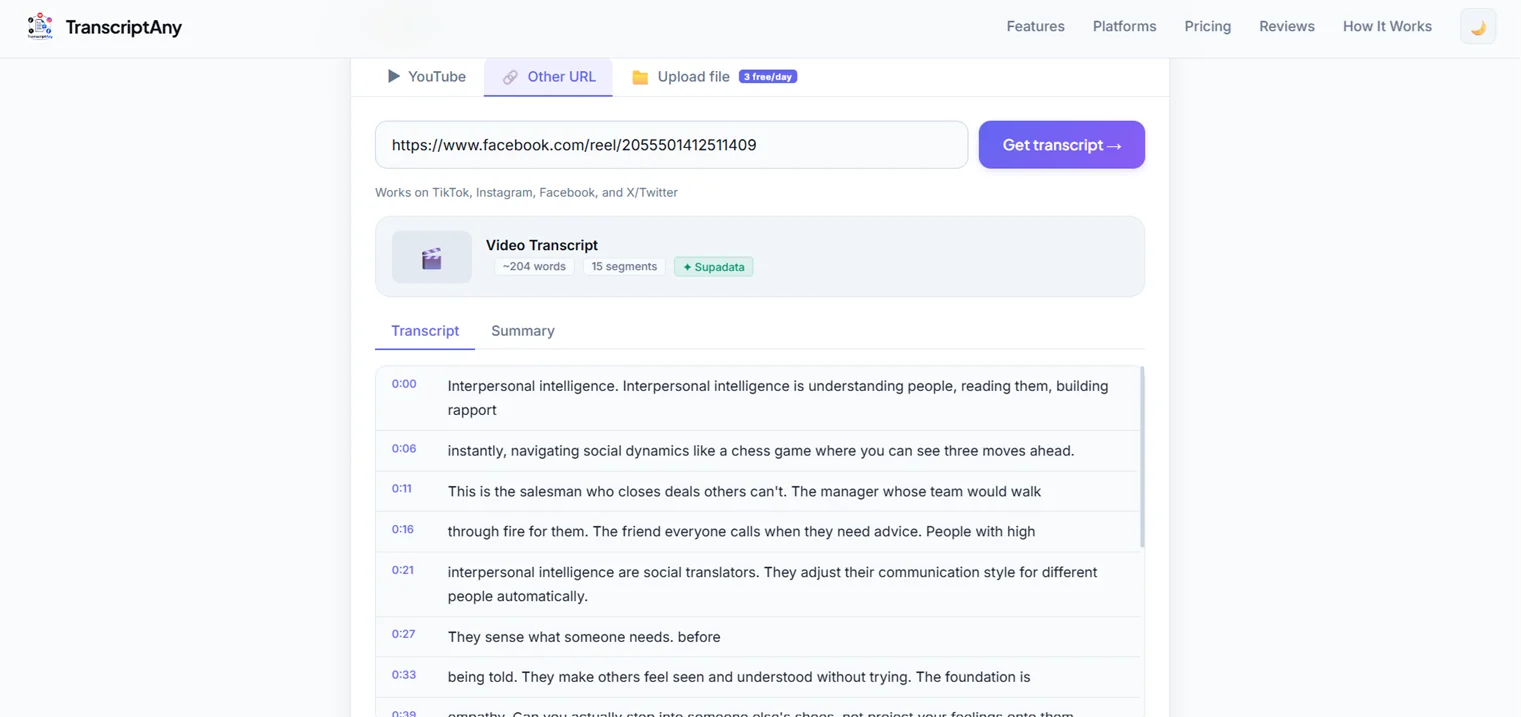
- Best for: creators, researchers, and anyone pulling text from public video content across multiple platforms
- Pricing: free for unlimited transcripts; Pro at $9.99/month for unlimited AI summaries, translation, transcript history, and bulk transcription
- Languages: 50+
Otter.ai — Meetings & Calls
Otter is built around live meeting transcription — it joins calls on Zoom, Google Meet, and Teams, and generates real-time notes and summaries. It's a strong fit if your main need is capturing conversations as they happen, not pulling transcripts from existing video content.
- Best for: sales teams, recruiters, and anyone who needs searchable records of live meetings
- Pricing: free tier with 300 minutes/month; paid plans from roughly $8.33–16.99/month
- Languages: English, French, and Spanish
Rev — Professional Human Transcription
Rev offers both AI and human-verified transcription, with the human option reaching very high accuracy since a person actually checks the output. It's a solid choice when precision matters more than speed or cost — legal, medical, or broadcast-quality work, for example.
- Best for: work where transcript accuracy is critical enough to justify paying per minute
- Pricing: pay-per-minute, roughly $0.25/minute for AI and up to around $1.99/minute for human transcription; no free tier
- Languages: wide language support via its human transcription network
Descript — Video & Podcast Editing
Descript transcribes audio and video, then lets you edit the actual media by editing the text transcript — delete a sentence in the text, and it cuts that section from the recording. It's fundamentally an editing tool with transcription built in, not a standalone transcript generator.
- Best for: podcasters and video creators who want to edit recordings via text
- Pricing: free tier with limited minutes; paid plans from around $12/month
How to Actually Choose
The honest answer is that "best" depends entirely on what you're doing:
- Pulling transcripts from YouTube, TikTok, Instagram, or other public video content — this is what TranscriptAny is specifically built for
- Recording and transcribing live meetings — a meeting assistant like Otter fits that workflow directly
- Need near-perfect accuracy and can pay per minute — Rev's human transcription is the strongest option for that
- Editing a podcast or video by editing text — Descript's text-based editing is purpose-built for that
Rather than one tool being universally "best," it's worth matching the tool to the actual job.
Pricing and features for third-party tools are publicly available information as of mid-2026 and may change — check each provider's site for current details.
Try TranscriptAny for Video Transcripts
Paste any YouTube, TikTok, Instagram, Facebook, or X link and get your transcript in seconds — free, unlimited, no sign-up.
Get Your Transcript Now — Free →