Get a Free YouTube Video Transcript in Seconds, No Sign-Up
A step-by-step guide to converting any YouTube video into text, in seconds, with no account required.
Whether you're repurposing a video into a blog post, pulling quotes for an article, studying a lecture, or just want to read instead of watch, getting a text transcript of a YouTube video shouldn't require software installs, browser extensions, or handing over your email address. Here's the fastest way to do it — completely free, with no account needed.
Why Get a YouTube Transcript?
A transcript turns a video into something you can skim, search, copy, and reuse. A few common reasons people convert YouTube videos to text:
- Content repurposing — turn a video into a blog post, newsletter, or social captions
- Studying and note-taking — review a lecture or tutorial without rewatching the whole thing
- Accessibility — read along or reference exact wording
- Research and journalism — pull accurate quotes without manual transcription
- SEO — publish the spoken content of your own videos as indexable text
Whatever the reason, the manual way — pausing, rewinding, typing it out — takes forever. Here's how to skip all of that.
Step 1: Go to TranscriptAny and Paste Your YouTube Link
Head to TranscriptAny — no sign-up, no login, nothing to install. The YouTube tab is selected by default, so all you need is the video's URL.
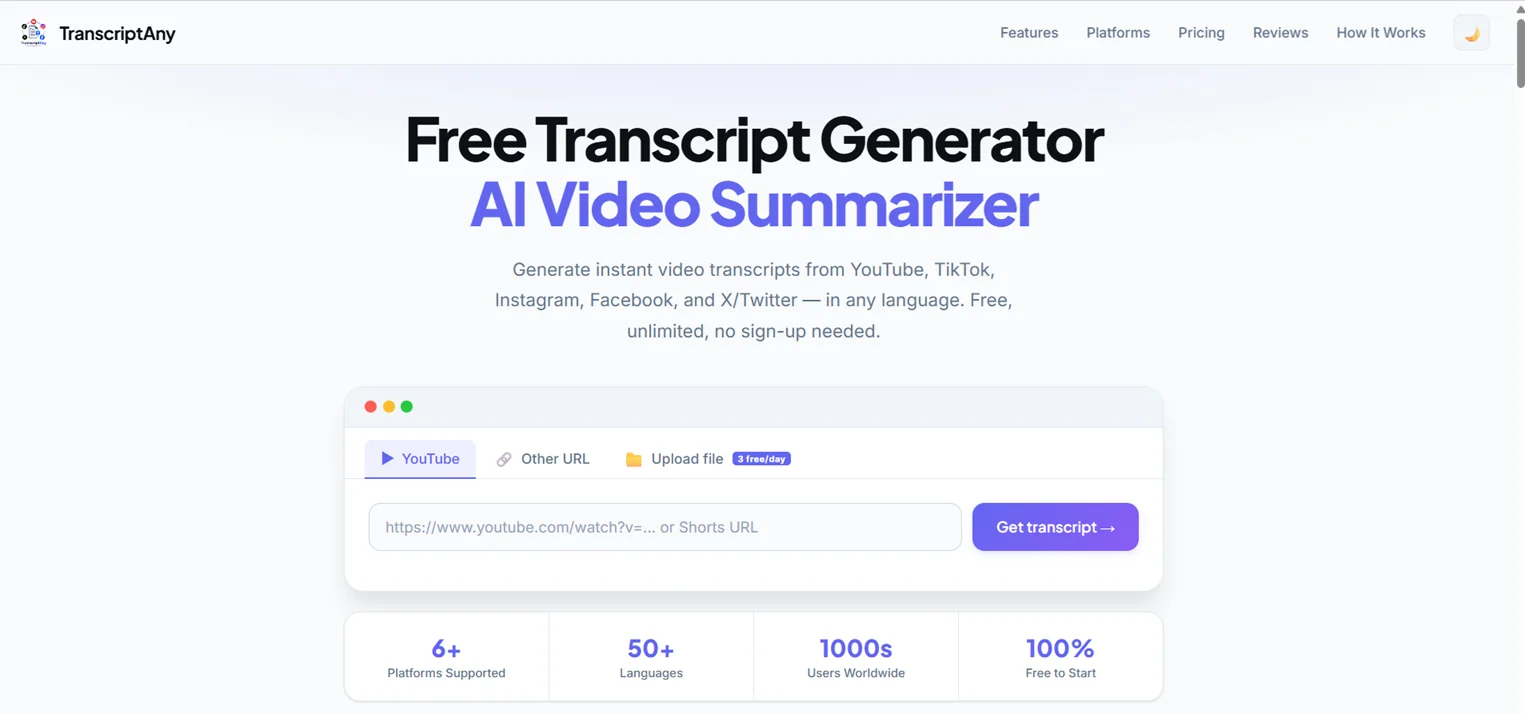
Copy the link from your browser's address bar or the YouTube share button, and paste it into the box.
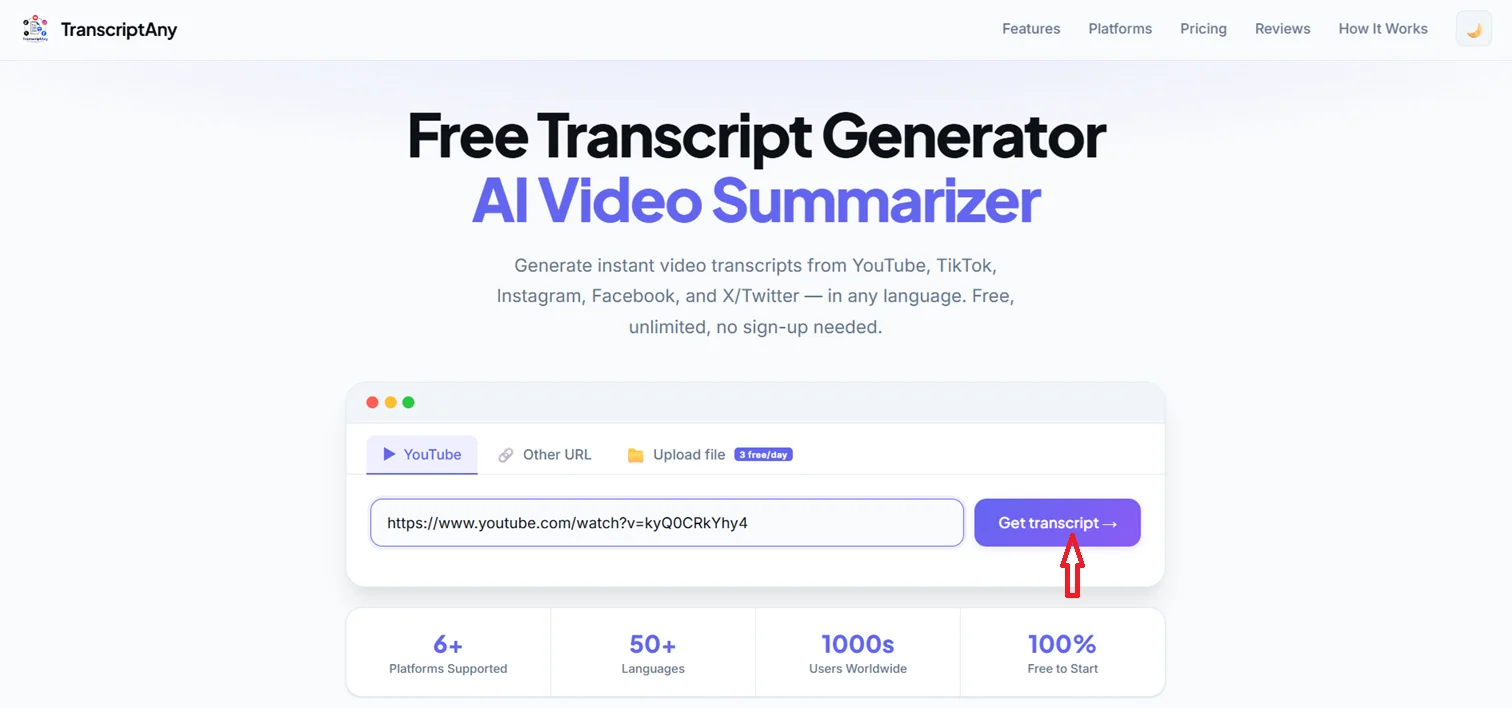
This works with regular YouTube videos and YouTube Shorts — just paste the link and click Get transcript.
Step 2: Get Your Transcript Instantly
Click the button, and within seconds you'll have the full transcript, broken into timestamped segments so you can jump straight to the part you need.
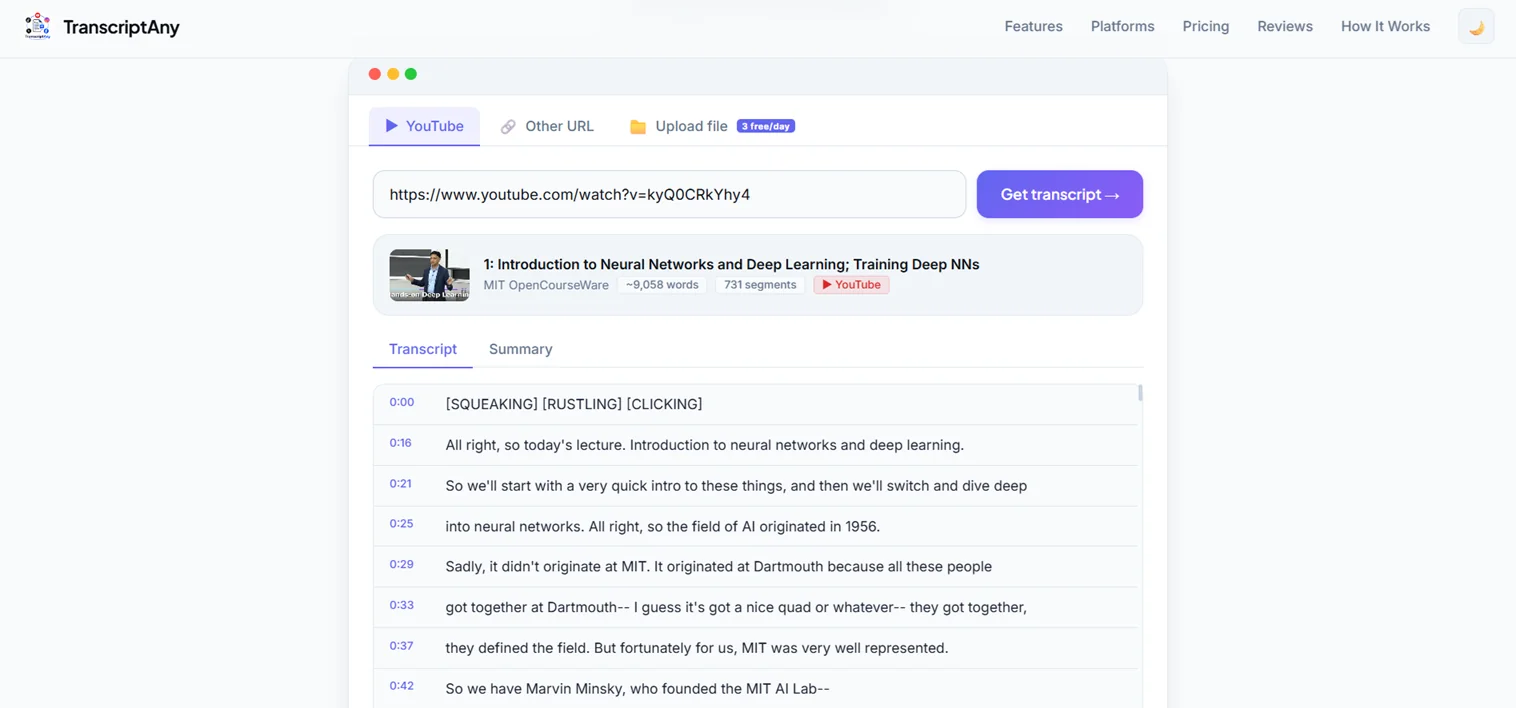
Along with the transcript, you'll see basic video info — title, creator, word count, and number of segments — pulled automatically from the video itself.
Step 3: Download or Copy the Transcript
Once your transcript is ready, you don't have to just read it on-screen. TranscriptAny gives you several ways to take it with you:
- Copy Text — instantly copy the full transcript to your clipboard
- .txt with timestamps — great for reference or video editing workflows
- .srt — a standard subtitle file, ready to drop into your video editor
- .pdf — for sharing or printing
- .docx — Word document export (Pro)
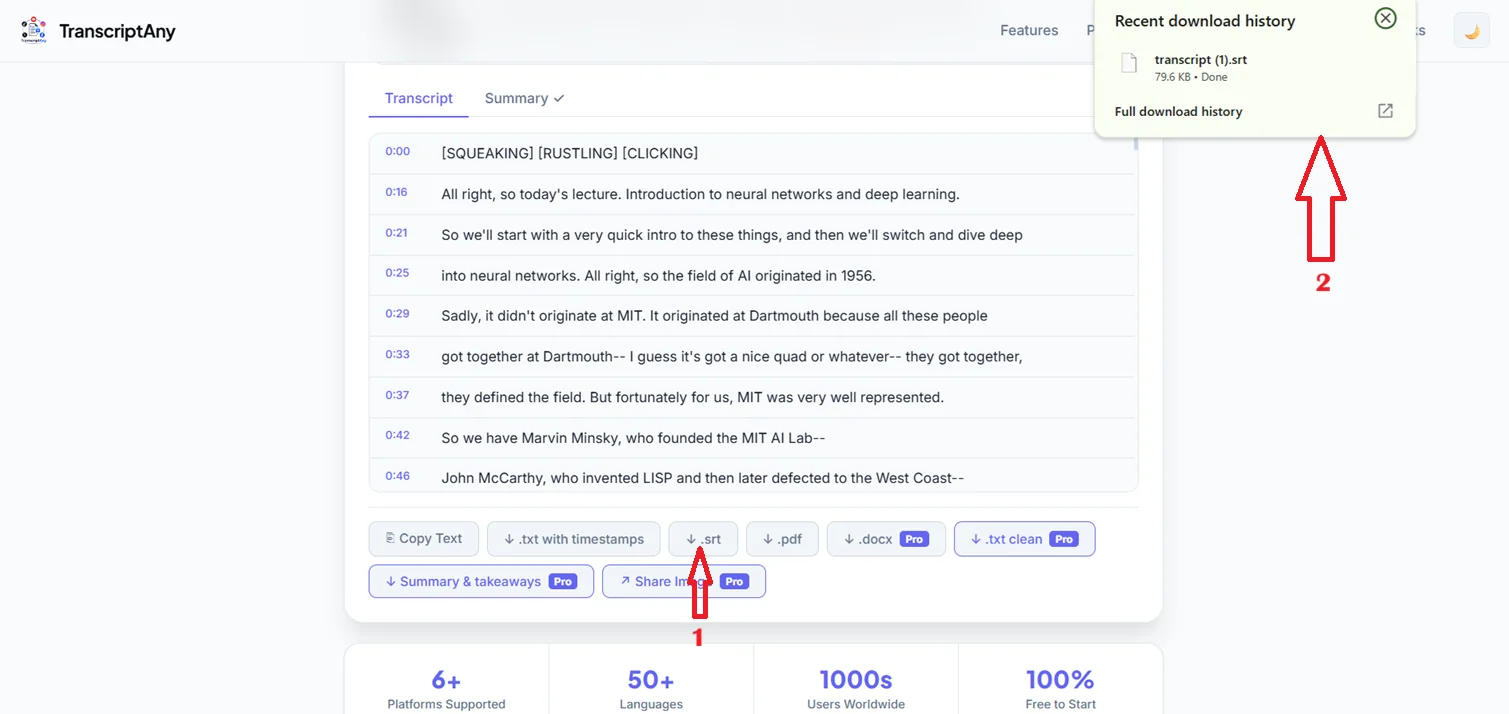
For most people, .txt with timestamps or .srt covers it — but having all the formats in one place means you're not stuck converting files yourself afterward.
Step 4: Get an AI Summary and Key Takeaways
Sometimes you don't need the entire word-for-word transcript — you just want the gist. TranscriptAny can generate an AI-powered summary alongside the full transcript, plus a list of key takeaways pulled straight from the video's content.
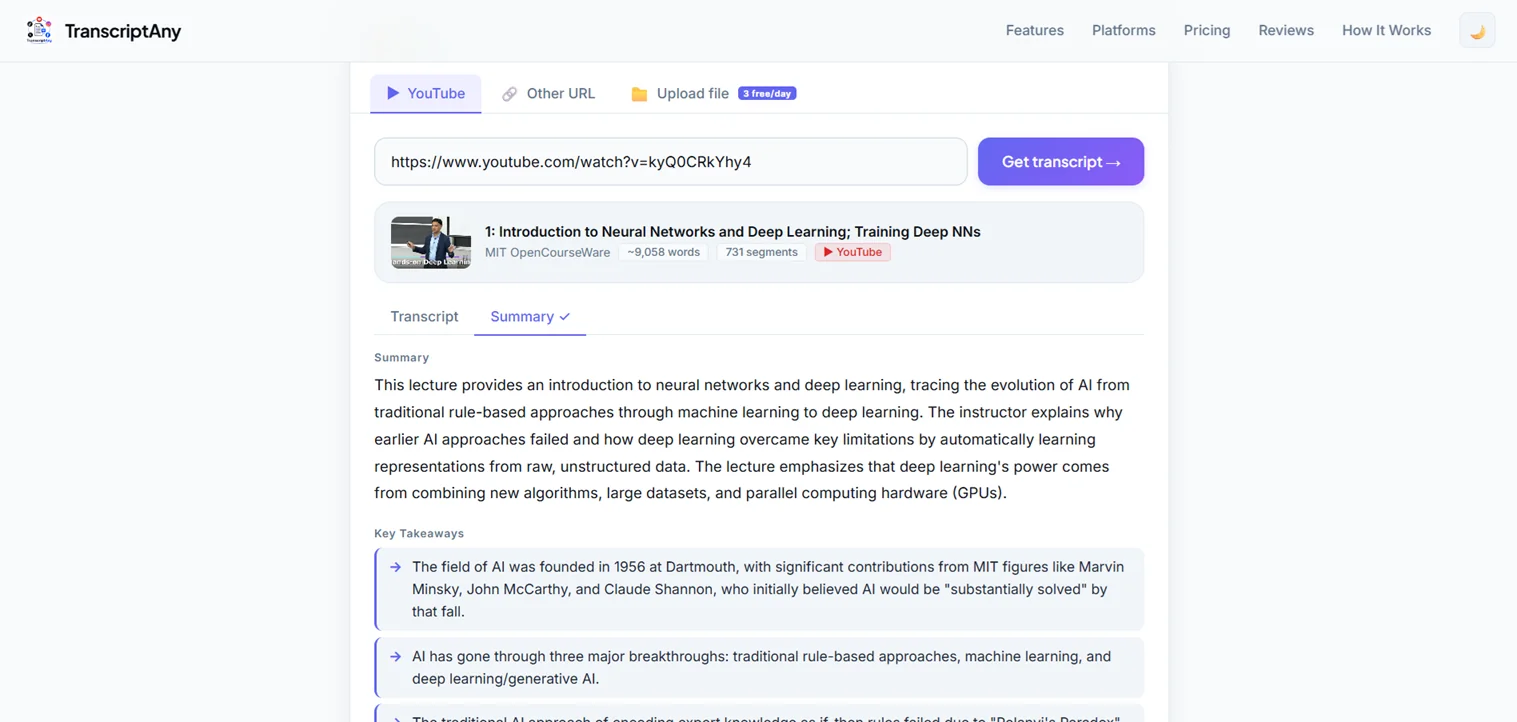
This is especially useful for longer videos — lectures, podcasts, interviews — where you want the highlights without reading (or watching) the whole thing.
Does It Work on Any YouTube Video?
It works on any public YouTube video, including Shorts. Private or unlisted videos with restricted access can't be transcribed, since the content itself isn't publicly accessible.
What Languages Are Supported?
TranscriptAny supports 50+ languages and automatically detects the language spoken in the video — no need to manually select anything.
Is It Really Free?
Yes. Getting the full transcript, timestamps, and unlimited YouTube URL conversions is free with no sign-up. AI summaries and file uploads include a limited free daily allowance, with a Pro plan available if you need more.
Try It Yourself
Grab any YouTube link and try TranscriptAny free — no account, no credit card, just paste and go.
Convert YouTube to Text Now — Free →