How to Transcribe Interviews Accurately
Get a timestamped, accurate transcript for citation and quoting — from a video link or a recorded file.
Whether it's a recorded source interview, a published video interview, or a research discussion, having an accurate written transcript matters when quoting matters. Here's the fastest way to get one.
Get the Interview Transcribed
If you have a recorded audio or video file, go to TranscriptAny and use the Upload file tab. If the interview is published on YouTube or another supported platform, paste that link into the matching tab instead.
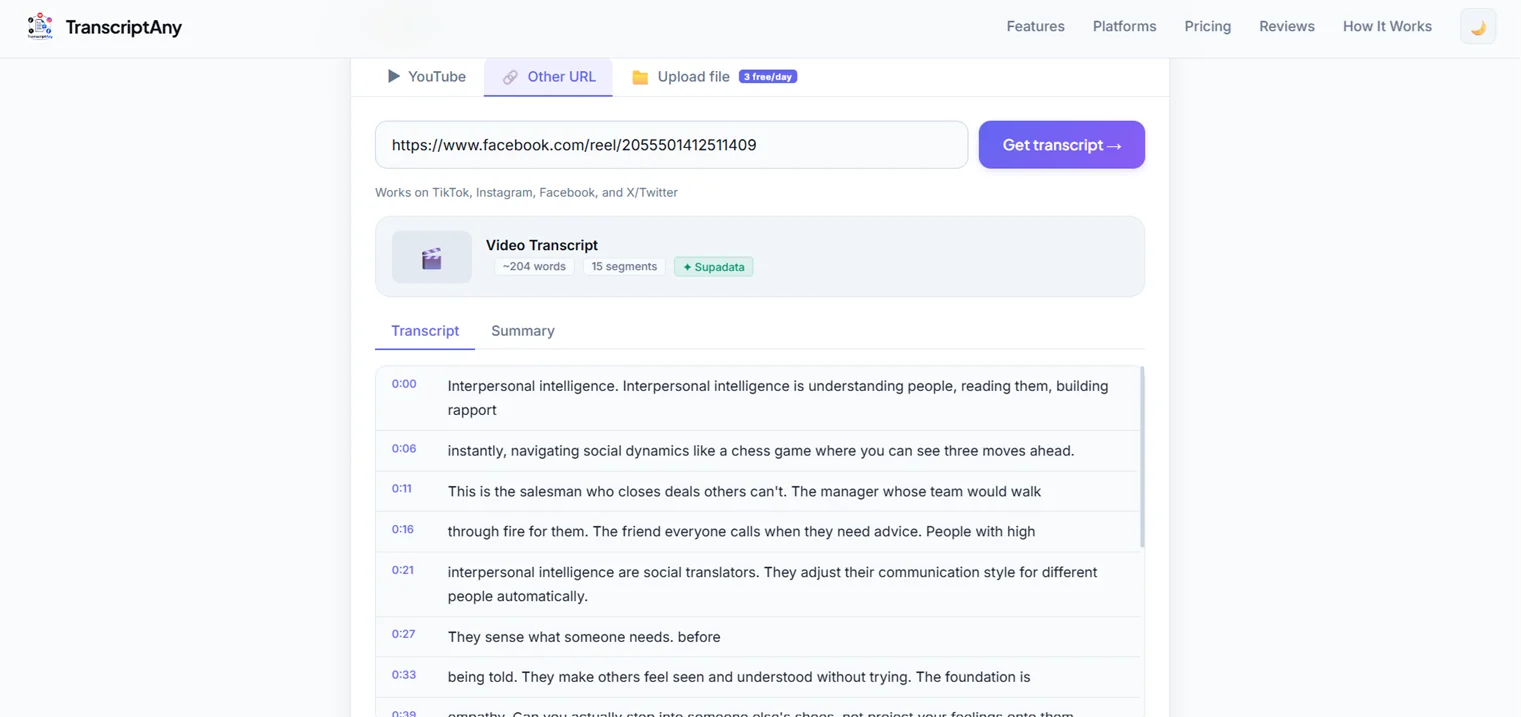
Why Timestamps Matter for Quoting
Every line in the transcript is timestamped to the original audio, so when you pull a quote, you can reference exactly where in the recording it was said — useful for citation, fact-checking, or going back to double-check context around a specific statement.
An Honest Limitation Worth Knowing
TranscriptAny doesn't currently label individual speakers — the transcript is continuous text, not broken out by "Interviewer:" and "Guest:" the way some dedicated meeting-transcription tools do. For a typical one-on-one interview, this rarely causes confusion since the question-and-answer flow is usually clear. For interviews with several participants, you may want to note speaker changes yourself as you review the text.
Export for Your Workflow
Download the transcript as .txt, .srt, or .pdf for free — useful whether you're pasting quotes into an article, archiving the interview, or preparing a transcript to share alongside published content.
Try It on Your Next Interview
Upload a recording or paste a video link and get an accurate, timestamped transcript in seconds — free.
Transcribe an Interview Now — Free →