How Content Creators Use AI Transcripts to Save Hours Every Week
Making content is the fun part. Here's how creators use transcripts to make everything after that faster.
Making content is the fun part. Repurposing it, writing captions, pulling quotes, and getting it in front of more people — that's the part that eats your week. A good transcript tool turns hours of manual work into minutes. Here are five ways creators are using AI-powered transcripts to get more out of every video they make.
1. Turning One Video Into a Week of Content
Every video you post already contains a script, a set of talking points, and a hook — you just have to extract them. Instead of rewatching your own video and manually pulling quotes, a transcript gives you the full text instantly, ready to be chopped into tweet threads, carousel slides, or a blog post.
TranscriptAny works across every major platform creators post to — YouTube, TikTok, Instagram, Facebook, and X/Twitter — so it doesn't matter where the original video lives.
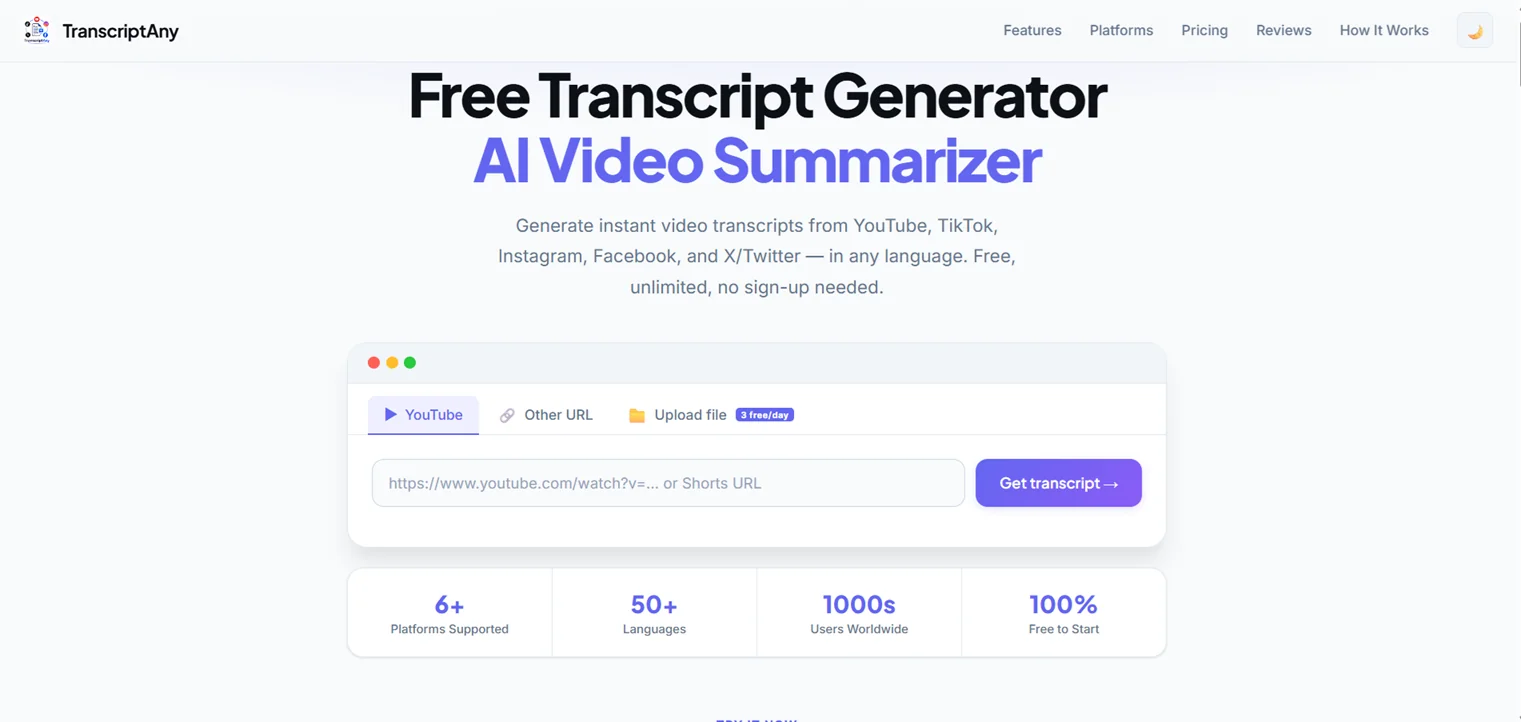
One video, transcribed once, becomes the raw material for five different pieces of content.
2. Writing Captions and Show Notes in Minutes, Not Hours
Manually writing captions or show notes means rewatching your own content and typing while you pause and rewind. With a transcript already in hand, writing captions becomes an editing job instead of a transcription job — you're trimming and shaping text that already exists, not creating it from scratch.
For podcasters, this is especially valuable: a full transcript with timestamps means show notes practically write themselves.
3. Getting the Key Points Without Rewatching Long-Form Content
Not every piece of content needs a full re-read. Sometimes you just need the gist — especially for long-form videos, interviews, or lectures you're referencing rather than repurposing word-for-word. An AI-generated summary and key takeaways get you there without reading the entire transcript.
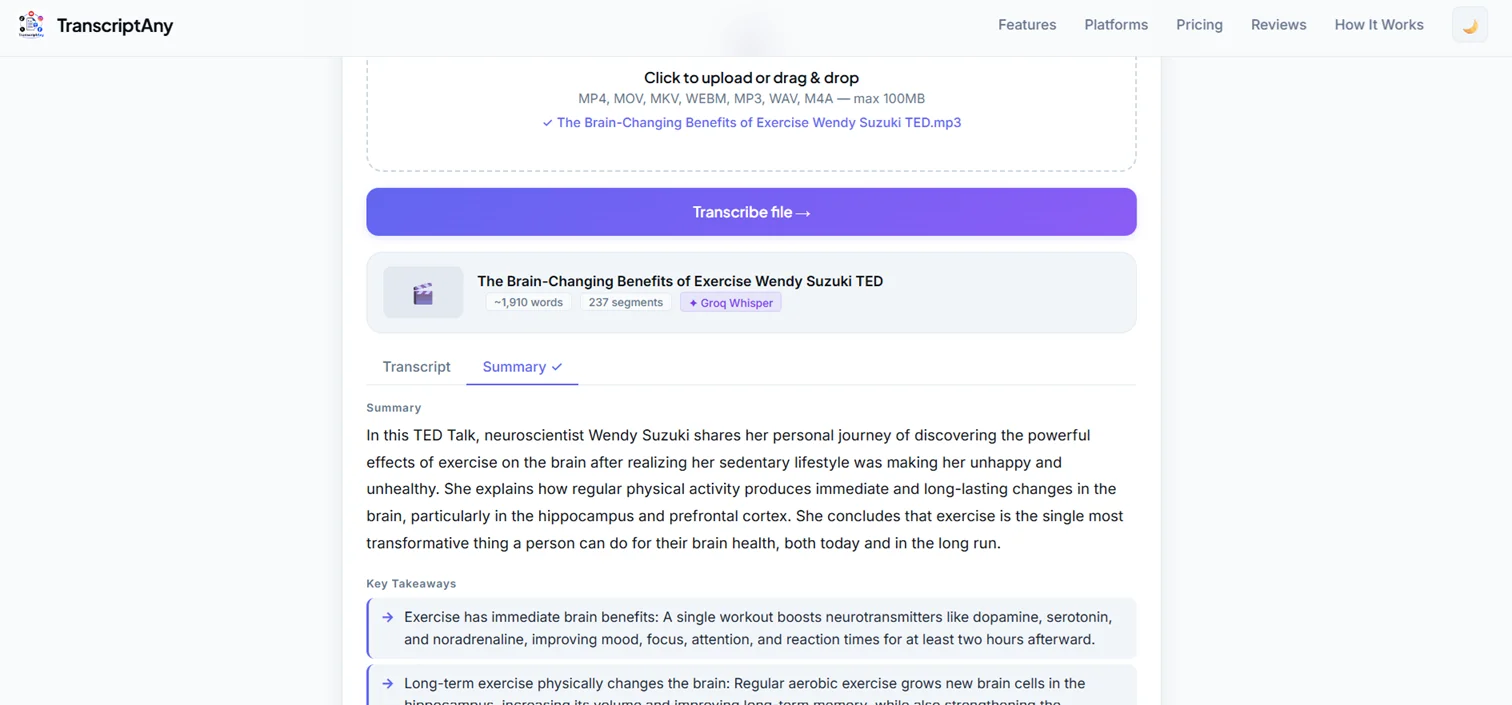
This is useful for creators doing research for a new video, or quickly refreshing on what an old video actually covered before referencing it in something new.
4. Exporting Into Whatever Format the Next Step Needs
Different tasks call for different file types. A subtitle file (.srt) for your video editor. A clean PDF for sharing with a client or collaborator. A Word document for further editing. Manually reformatting a transcript for each use case is tedious — a transcript tool that exports directly into multiple formats skips that step entirely.
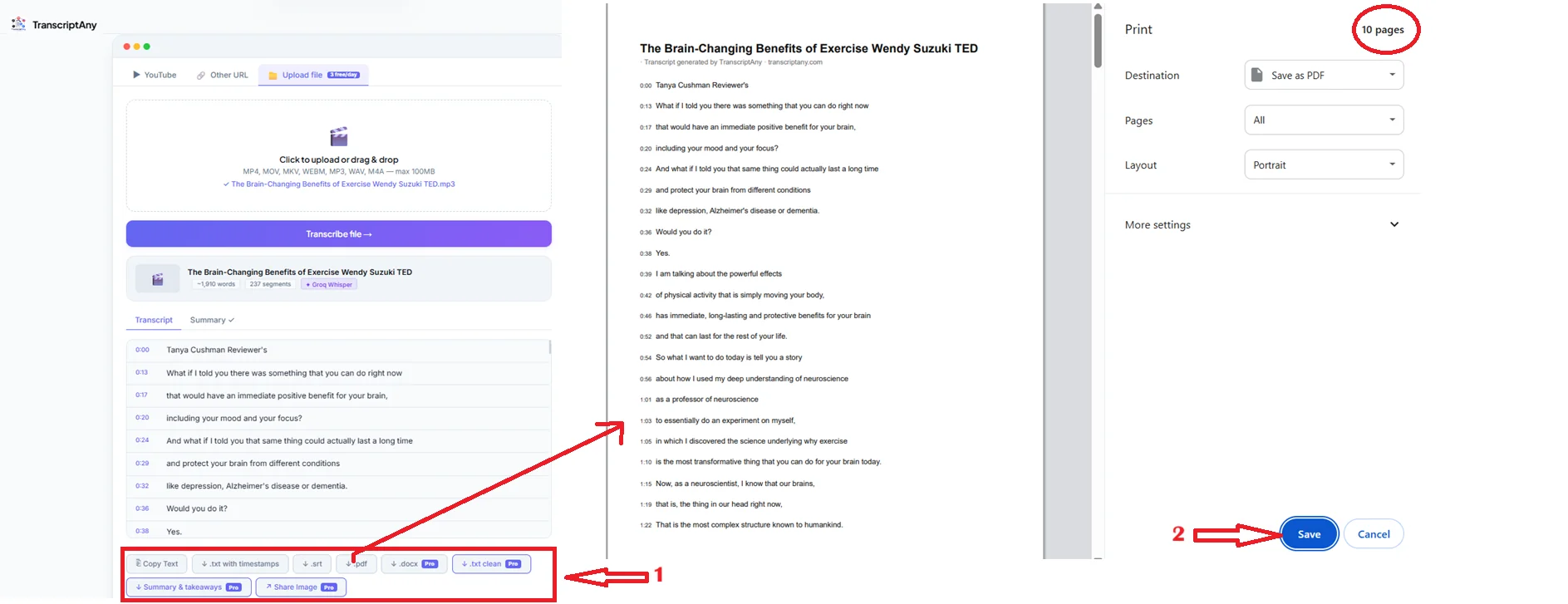
One transcript, generated once, can become subtitles, a shareable PDF, a clean text file, or an editable document — without retyping anything.
5. Making Content Accessible and Searchable
Transcripts aren't just a repurposing shortcut — they make your content more usable for more people. Viewers who prefer reading, people in sound-off environments, and anyone who wants to search for a specific moment in a long video all benefit from a text version being available. It also means your video's actual spoken content becomes indexable and searchable, instead of being locked inside audio.
The Common Thread
Every one of these use cases comes down to the same thing: turning spoken content into text once, so it can be reused in five different ways instead of redone five separate times. That's the actual time savings — not just "getting a transcript," but not having to manually redo work you already did once on camera.
Try It Yourself
Paste a video link or upload a file and try TranscriptAny free — get your transcript, summary, and export-ready files in seconds.
Try TranscriptAny Free →